
To content
FlyMod
Matek

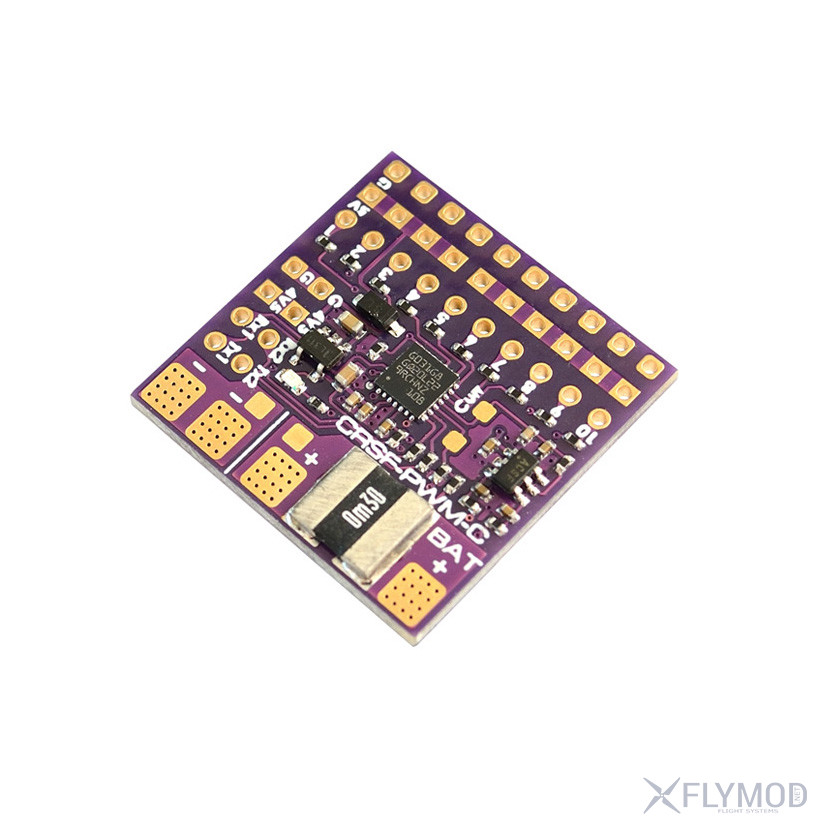
Matek CRSF to PWM CRSF-PWM-C signal converter for 10 channels

499 uah
Price in USD: 10.99 $ $
Out of stock
Archival goodsThis item is no longer supplied
  • DeliveryNova Poshta across Ukraine
  • PaymentCard online or bank transfer
  • WarrantyExchange and return

Description

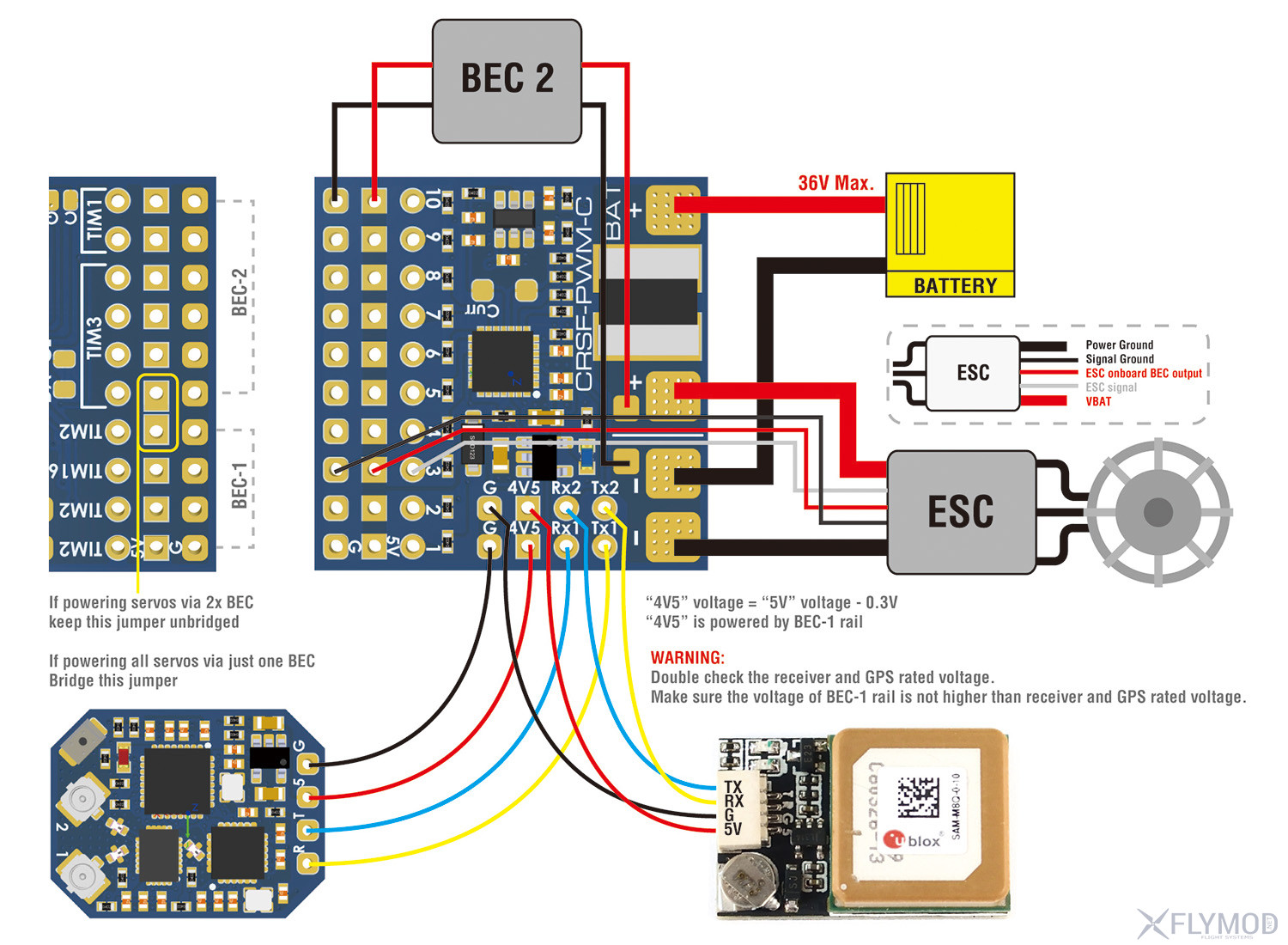
The Matek CRSF-PWM-C 10-channel converter/converter is designed to accept CRSF signal (Crossfire protocol) and allows the connection of 10 PWM devices (e.g. servos, ESC). In addition, the converter has a customizable PWM frequency output, a built-in 90A current sensor and a Failsafe function. The values of the on-board current sensor are included in the CRSF telemetry and sent to the connected transmitter. There are also two UARTs on the board for connecting a receiver and a GPS (NMEA output) which then sends the coordinates along with the Crossfire telemetry. The board does NOT include a 5V BEC, so it is designed to be powered from a 5V source (such as an ESC or external BEC).

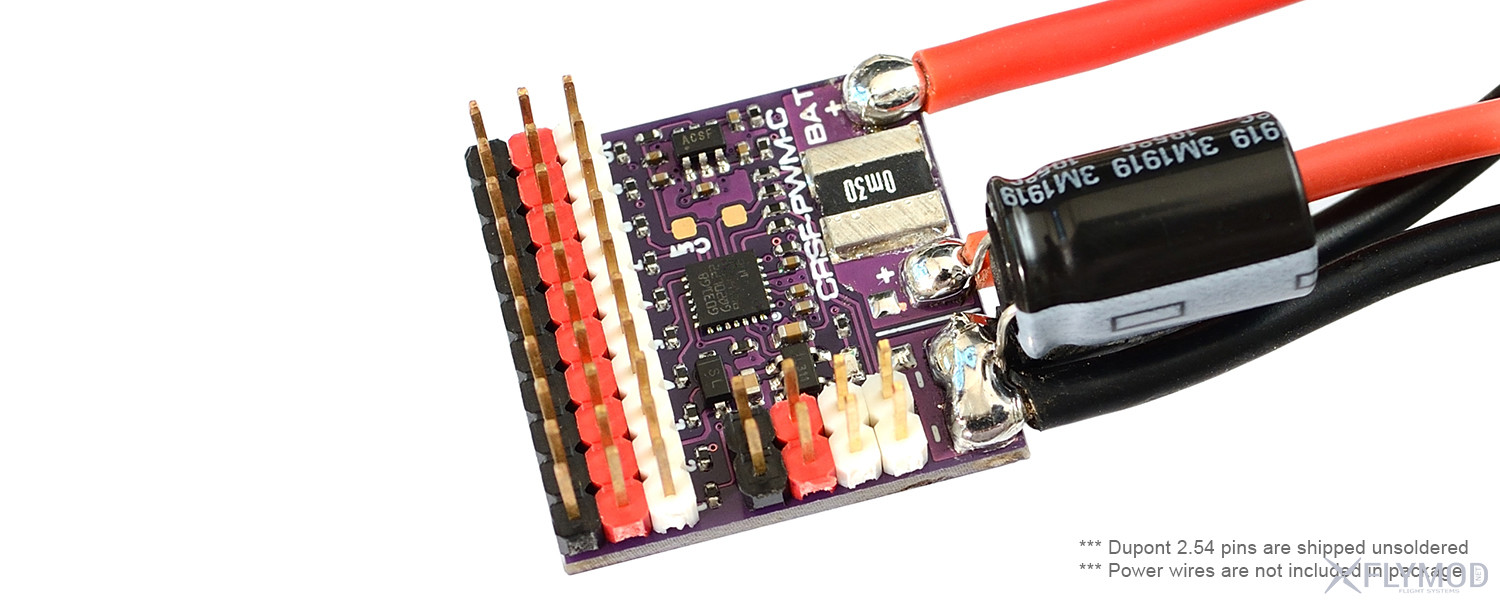
Note: the image shows soldered pins, but the converter is shipped soldered out
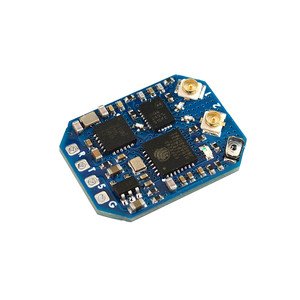
Features

  • Compatibility: CRSF protocol receivers only
  • Supports any CRSF protocol receiver (including 433MHz, 868MHz, 915MHz, 2.4GHz)
  • Built-in current sensor
  • Customizable Current Sensor Scale and Vbat
  • Automatic Failsafe value setting
  • Upgradeable firmware
  • No built-in BEC

Features

  • Number of PWM outputs: 1-
  • Customizable PWM frequency: 50/100/160/330/400Hz (default 50Hz)
  • UARTs ports: 2 (for receiver and GPS)
  • Telemetry IDs: RxBt, Curr, Capa, Bat%, GPS, GSpd, Hdg, Alt, Sats
  • Max. battery voltage sensor: 36V (built-in 1K:10K voltage divider)
  • Current Sensor: 90A continuous / 220A peak, current scale = 150 by default
  • Rated voltage:
    • 4 ~ 9V at 5V
    • 0 ~ 36V at BAT+
  • Built-in BEC: no
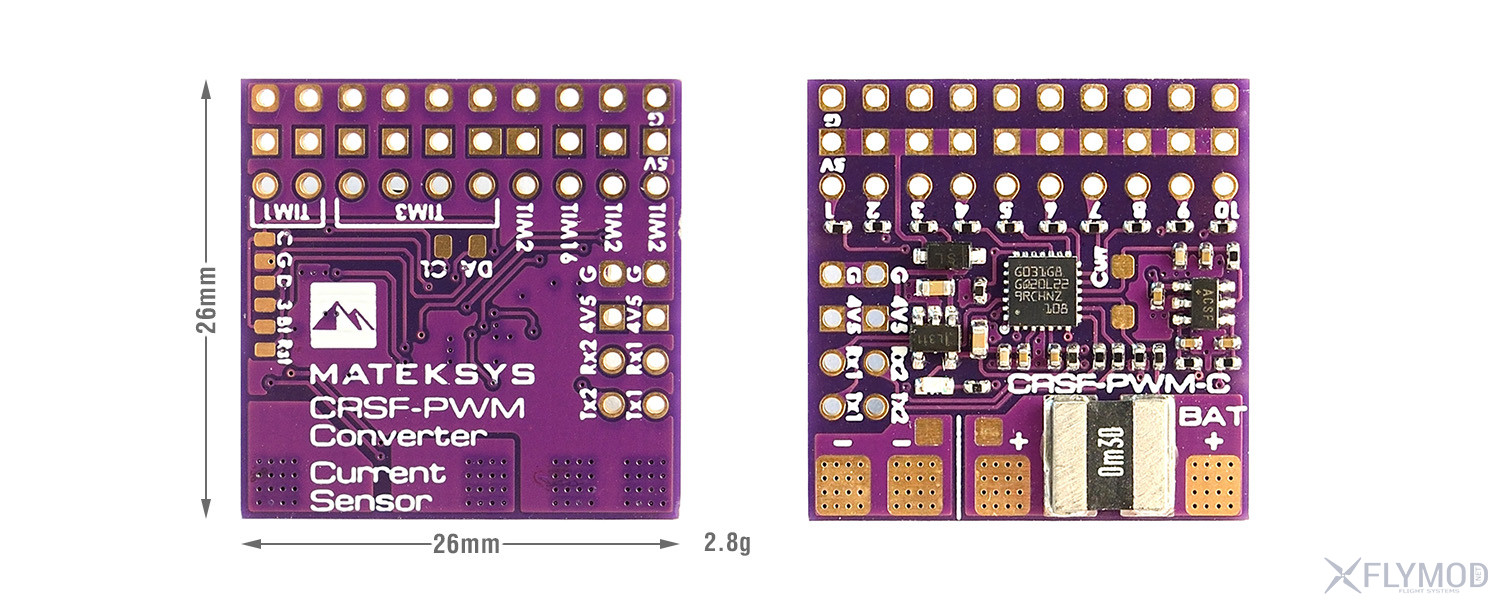
  • Dimensions: 26 x 26
  • Weight: 2.8g

Accessories

  • 1 x Matek CRSF-PWM-C converter
  • 1 x Dupont 2.54 contacts
  • 1 x low ESR capacitor

Recommendations and instructions

Pin designation:

  • Tx1 / Rx1 (UART1) for CRSF protocol receiver
  • Tx2 / Rx2 (UART2) for GPS / firmware update / parameter setting
  • 1 ~ 10: CH1 ~ CH10 PWM outputs
  • Vbat: battery voltage detection (0 ~ 36V)
  • G: ground
  • 4v5 pin voltage = 5V pin voltage -0.3V, make sure the 5V pin voltage does not exceed the rated voltage of the receiver and GPS.

Failsafe:

  • The Failsafe value is set automatically after the CRSF-PWM board is turned on and a CRSF signal is received. The LED flashes rapidly 8 times.
  • Failsafe value = the PWM value of each channel (except CH3) when the CRSF signal is received by the CRSF-PWM board for the first time
  • CH3 is specifically located for throttle, Failsafe value = 988 by default.
  • Before turning on the receiver, put the Throttle position on the joystick to the lowest point, and put AIL (Roll), ELE (Pitch), RUD (Yaw) in the middle

LED indication:

  • LED blinking slowly: the CRSF-PWM board is not receiving the CRSF signal, e.g., the receiver is not connected to the transmitter, the receiver is not connected to UART1 of the CRSF-PWM board
  • Rapid flashing 8 times: The CRSF-PWM board has received the CRSF signal and the Failsafe value is saved.
  • Solid: CRSF-PWM board and receiver are operating normally.
  • 2 times slow flashing between 8 times fast flashing and steady light: command line mode is active

GPS telemetry:

  • Compatible with GPS NMEA protocol
  • Connection of the GPS "TX" pin to the CRSF-PWM "RX" pin via a single-wire half-duplex UART connection. Connection of the CRSF-PWM "TX" pin to the GPS "RX" pin is not necessary.
  • GPS telemetry identifier support: GPS, GSpd, Hdg, Alt, Sats
  • GPS u-blox series can output "0 + 1 - UBX + NMEA" protocol by default
  • The sensors (GPS, GSpd, Hdg, Alt, Sats) will flash on the transmitter's TELEMETRY tab once the CRSF-PWM converter has established a connection to GPS
  • To troubleshoot when GPS telemetry is not present, double check the wiring between the GPS and the CRSF-PWM converter, some u-blox GPS may not output NMEA protocol, you will need to reset the GPS to the default configuration in u-center
  • With OpenTX Telemetry Logging, you can plot a flight route or find a lost airplane

TIM and PWM frequency:

  • The PWM frequency on all 10 channels can be adjusted to match the TIM frequency
  • PWM operates at the default frequency of 50Hz
  • TIM2: CH1, CH2, CH4
  • TIM16: CH3
  • TIM3: CH5, CH6, CH7, CH8
  • TIM1: CH9, CH10

Command Line Mode (CLI mode):

  • If the CRSF-PWM board does not detect a GPS connected to UART2 within 10 seconds of power-up, the command line mode is activated
  • After activating CLI mode, the CRSF-PWM board can be connected to the configurator via USB-TTL / FC pass-through module.
  • In CLI mode, the CRSF-PWM board firmware can be updated.
  • CLI mode does not affect the CRSF receiver signal and PWM outputs

Useful links

Photos

Comments

There are no messages yet. Leave your message first.

You need to be registered or authorized users to leave messages. Registration

Compatible goods

Goods from category

499 uah